
Basic Search Engine Optimization Tutorial Download
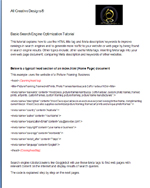
The tutorial explains how to use the HTML title tag, Meta tag description and keywords to improve rankings in search engines thereby generating more traffic to your website or web page by appearing in search engine results. Other topics include; other useful Meta tags; inserting Meta tags into your own web page document; comparing Meta description and keywords of other web sites. Duration of this tutorial is approximately 30 to 40 minutes. Easy to follow instructions with full color screen shots. If you are a newcomer to HTML tags view our basic html tutorials. Search Engine Optimization for Beginners. Find a choice of PDF or MS Word documents formats to download below.
Topics covered by this SEO tutorial
Explanation of Meta Tags
Step 1: Title Tag
The title text has the strongest weighting in search engine results and the weighting is applied from left to right.
Step 2: Meta Tag Keywords
Use up to 30 words describing the content of your web page.
Do not repeat any term more than five times (More could lead to black banning of your web page by Search Engines like Google or Yahoo).
Step 3: Meta Tag Description
Use up to 60 words in a description of your business; weighting is applied from left to right. This description should be repeated in the body text of your web page.
Step 4: Other Useful Meta Tags
Step 5: Inserting Meta tags into your index.html document
Type meta tags into the head section i.e. in between opening and closing head tags, exactly as shown below and insert your own text between inverted comas only, where you can use spaces and capital letters.
Comparing Meta description and keywords of other websites
SEO - Search Engine Optimization for Beginners
What is Search Engine Optimization?
Using various techniques to improve a web site's ranking in the search engines and thereby attract more visitors.
Search engine robots/ spiders like Gogglebot are crawling the net (Indexing) will use Meta tags to find web pages with relevant content on the internet and display results of user search queries.
This tutuorial explains how to create and use different meta tags to improve your search engine rankings, so your web page will be found on the world wide web. Step by step instructions with full color screen shots.
Duration of this tutorial is approximately 30 - 40 minutes
Download instructions in Word.doc format 302KB (Created in Compatibility Mode)
Download instructions in Adobe Reader .pdf format 700KB
Educational institutions can contact us to print this PDF for study purposes only.
Expand the Tutorials Menu to access other Web Design and Image Edtiting Tutorials.
Back to Tutorials Main Page
All Creative Designs provide a Web Site Design and Development service with a difference and produce professional and innovative designs to your requirements. Every web site is unique and created without the use of pre-generated templates. We are developing interactive and informative web solutions for non-profit organisations by constructing dynamic member data bases with full administration functions. All Creative Designs services the Nambucca / Coffs Harbour area and NSW.
Tutorials, web designs and all images copyright ©2019 by www.allcreativedesigns.com.au world wide rights reserved.
ABN: 65869832328