
Part 2 HTML Web Design Tutorial using Notepad Download
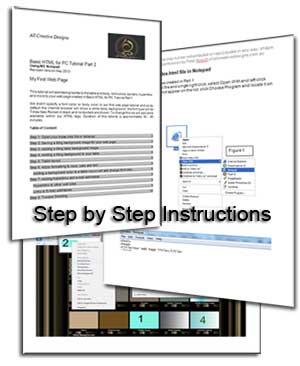
This basic tutorial part 2 for beginners explains HTML web coding in an easy to understand way with the novice user at mind. A comprehensive tutorial with step by step instructions including full color screen shots in Word or PDF format enabling you to build your own basic web page by only using the Notepad editor. This tutorial will explain how to create a full functional web page for the world wide web and does require prior knowledge of basic web editing or web coding learned in the HTML Tutorial Part 1.
Find a choice of PDF or MS Word documents formats to download below.
Topics covered by this basic HTML Tutorial Part 2
Step by Step Instructions for Beginners
This tutorial uses full color screenshots and a comprehensible language helping you to understand the basic principles of HTML.
This tutorial uses full color screenshots and a comprehensible language helping you to understand the basic principles of HTML.
Step 1: Open your index.html file in Notepad
Step 2: Saving a tiling background image for your web page
Step 3: Adding a tiling body background image
Step 4: Adding a tiling background to your table
Step 5: Table layout
Step 6: Apply formatting to rows, cells and text
Adding a background color to a table row or cell and change font color
Step 7: Adding hyperlinks and e-mail addresses
Hyperlinks to other web sites
Links to E-mail addresses
Step 8: Trouble Shooting
Basic HTML Tutorial Part 2:
This tutorial will add backgrounds to the table and body we created in the basic html tutorial part 1.
We didn’t specify a font color, font type or body color in our first web page and so by default the internet browser will show a white body background, the font type will be black Times New Roman and no borders are shown. To change this we will add extra elements within our HTML tags. This tutorial will also add hyperlinks and include your e-mail links on your web page.
An easy to follow HTML tutorial for the beginner in Word or PDF format.
HTML is the primary language used to create pages on the World Wide Web.
Duration of this tutorial is approximately 40 - 50 minutes and will enable you to build on the basic web page we built in part 1.
If you can create a folder, save files and are able to copy and paste this tutorial is not difficult to complete.
(Download of word.docx tutorial might not work properly if using older version of MS Internet Explorer, use the PDF version supplied)
Download instructions part 2 in Word.docx format 480KB
Download instructions part 2 in Adobe Reader .pdf format 480KB
Educational institutions can contact us to print this PDF for study purposes only.
Expand the Tutorials Menu to access other Web Design and Image Edtiting Tutorials.
Back to Tutorials Main Page
All Creative Designs provide a Web Site Design and Development service with a difference and produce professional and innovative designs to your requirements. Every web site is unique and created without the use of pre-generated templates. We are developing interactive and informative web solutions for non-profit organisations by constructing dynamic member data bases with full administration functions. All Creative Designs services the Nambucca / Coffs Harbour area and NSW.
Tutorials, web designs and all images copyright ©2019 by www.allcreativedesigns.com.au world wide rights reserved.
ABN: 65869832328